
No result found
Please try rephrasing your search
How do I interact with posts?
Comment, reply, react, share, or report posts where these options are available.
Select the Wall icon at the top of the site.
Choose the post you want to interact with.
Use the available options to comment, reply, react, share, or report the post.
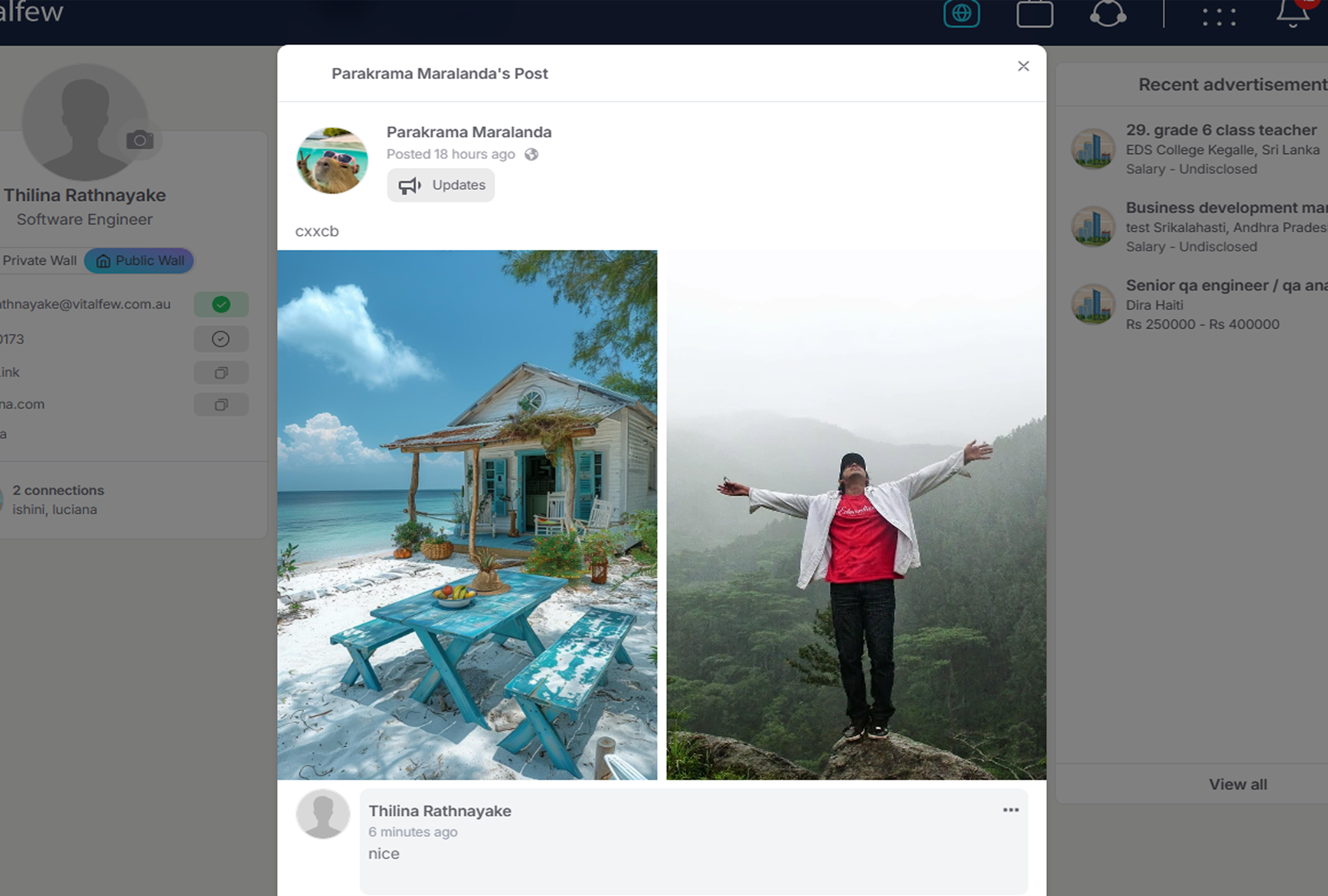
Post actions depend on the post audience and interaction settings.
On the Private Wall, you can comment, react, and reply to comments where these options are available. Private posts cannot be shared.
On the Public Wall, you can comment, react, reply to comments, and share Public posts where these options are available.
Only Public posts can be shared. Private and Extended posts cannot be shared.
Comments and replies support text only. Images cannot be added to comments.
You can edit or delete your own comments. After editing, the updated comment appears without an additional notification. After deleting, the comment is removed without an additional notification.
If you see a post or comment that should be reviewed, use the report option. VitalFew takes reports seriously and reviews reported content.
To understand who can see posts, see How do post visibility settings work? To create a post, see How do I create a post? To manage your own posts, see How do I edit or delete a post?
Common questions
You can comment, reply, react, share, or report posts where these options are available.
No. Only Public posts can be shared.
No. Comments and replies support text only.
Yes. You can edit your own comments.
Yes. You can delete your own comments.
Yes. Use the report option if a post or comment should be reviewed.