
No result found
Please try rephrasing your search
What can I do after creating a tailored resume?
Review, edit, download, or apply with your tailored resume.
Check the tailored resume created by VitalFew Assistance.
Edit details, select a template, or download a copy.
When you are ready, select Apply now to continue.
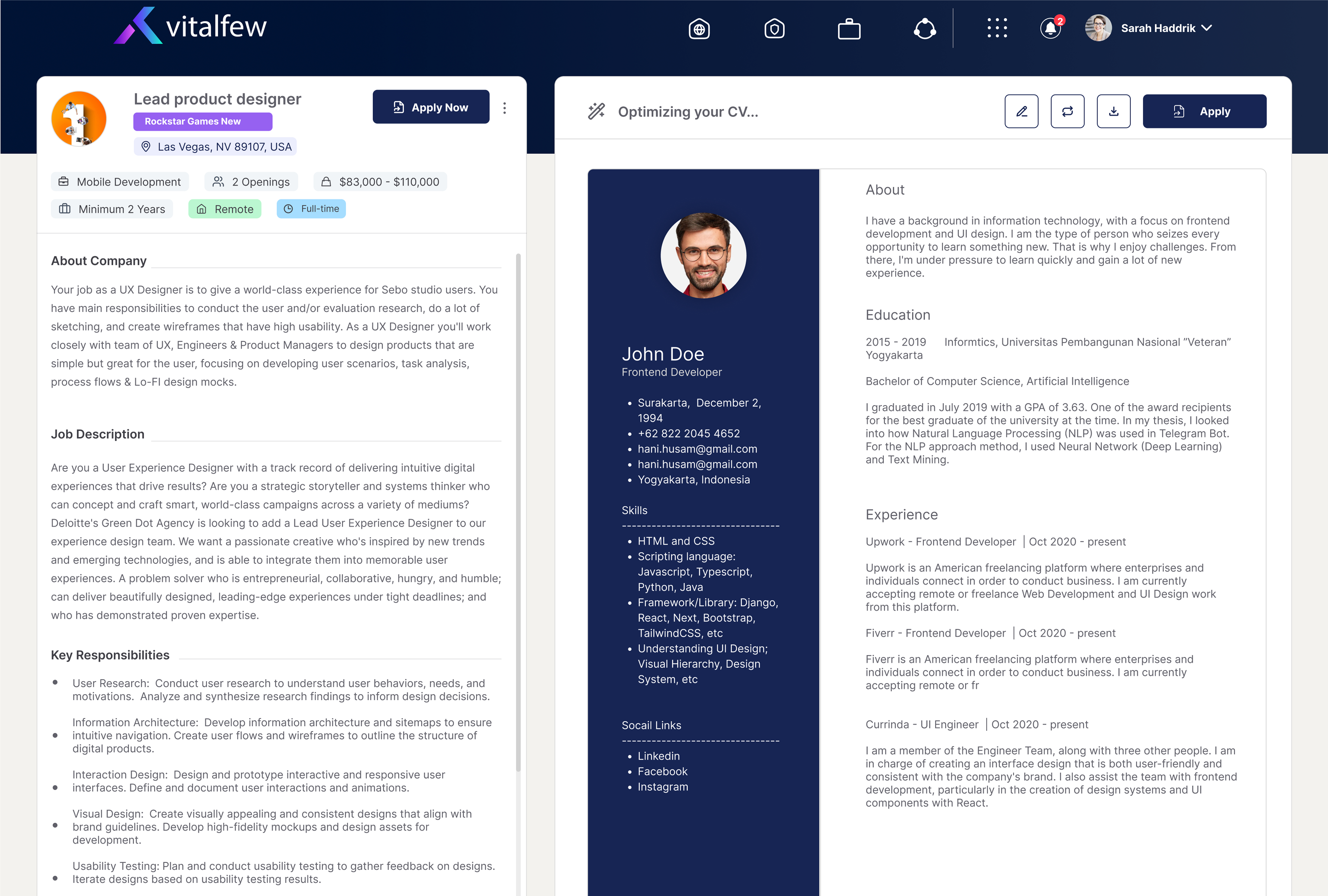
After VitalFew Assistance creates your tailored resume, you can review it before using it for an application. This helps you check the details, layout, and role-specific content before proceeding.
You can edit the information shown in the tailored version. In editing mode, open each section to review or update details. Sections include personal details, professional overview, professional experience, value addition, education, skills, references, and additional training and certifications.
Value addition refers to endorsements that can support your application. To learn how to add one, go to How do I add an endorsement?. You can update existing details, add new information where needed, and review the tailored resume as many times as required before applying.
You can also choose a resume template, download a copy if needed, or select Apply now to continue with your application. To understand how the tailored version is created, go to How do I create a tailored resume for a job?. To learn what happens during the application flow, see How do I apply for a job?
Frequently Asked Questions
{{ faq.a }}